Grim Logo Template: Build a Dark, Professional Brand Identity
If you have ever tried designing a logo from scratch, you know how quickly the process can turn into a time sink. Between choosing the right typeface, balancing negative space, and making sure the whole thing scales properly, it is easy to feel stuck before you even begin. The Grim Logo Template was built to remove that friction while still giving you complete creative control. Whether you are launching a record label, setting up a freelance studio, or rebranding a personal project, this template gives you a solid foundation that looks intentional and polished from the start.
What Makes the Grim Logo Template Different
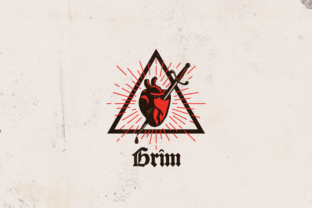
This is not one of those cookie-cutter templates that leaves you with something generic. The Grim Logo Template carries a distinct visual personality. Its aesthetic leans toward the darker, more atmospheric side of design, which makes it an excellent choice for artists, musicians, podcasters, and anyone whose brand needs a bit of edge. But here is the thing: dark does not mean difficult to work with. The file structure is clean, the layers are labeled, and the customization process is straightforward even if you are not a seasoned designer.
The template ships in three formats: an editable Adobe Illustrator AI file, an EPS file for vector compatibility, and a PSD Photoshop file. Having all three means you can work in whatever software you already know, without being forced to learn a new tool just to tweak a logo. That kind of flexibility matters when you are juggling deadlines or working across different machines.
Resolution and Color That Actually Hold Up
A logo that looks crisp on screen but turns into a blurry mess on paper is worthless for real-world use. The Grim Logo Template is built at 300 DPI, which means it prints cleanly at any size. Whether you are putting it on a business card or printing it across a banner, the edges stay sharp. The CMYK color space ensures that what you see on your monitor translates accurately to printed materials. This is one of those details that separates a professional-looking brand from a DIY experiment that never quite lands.
Real-World Applications Across Different Settings
Let me walk you through where this template really shines. If you run a music studio or a record label, your logo needs to communicate a certain mood before anyone reads a single word. The Grim Logo Template gives you that instant atmospheric quality. You can adjust the color palette to match your existing aesthetic, swap in your own typeface, or add subtle graphic elements that reinforce your genre or style.
For freelancers and creative professionals, the ability to modify the template means you are not stuck with someone else's vision. You can tweak the shape composition, reposition text, or change the font entirely. This level of customization is what makes the template feel like your own rather than something off the shelf. And because the file is fully layered, you can experiment without fear of breaking the original design.
Small business owners will appreciate how versatile the Grim Logo Template is across mediums. You can drop it onto product packaging, embroider it onto apparel, or use it as a watermark on digital content. The vector format ensures that no matter where you place it, the quality remains consistent. I have seen this template used effectively on everything from skateboard decks to coffee bags, and it holds its own in every context.
Print and Digital, Both Covered
One of the biggest headaches in branding is maintaining consistency across print and digital channels. A logo that looks great on a website might lose detail when printed on a matte flyer. The Grim Logo Template avoids this problem because it was designed with both environments in mind. The 300 DPI resolution handles print with ease, while the vector source files keep everything crisp on retina displays and mobile screens.
Stationery is another area where this template performs well. Letterheads, envelopes, and notepads all benefit from a cohesive look. Because you can edit the colors and spacing, you can create variations that fit different formats without losing the core identity. The same goes for apparel. If you are printing shirts or hoodies for a band or a brand, the logo's bold structure reproduces cleanly on fabric.
Customization Without the Learning Curve
The promise of easy customization is thrown around a lot in the design world, but the Grim Logo Template actually delivers on it. The AI and PSD files are organized with clearly named layers. You can change the color of individual elements, adjust the size and position of text, swap out the font, or modify the shape structure without having to dig through a mess of unnamed groups. This is especially useful if you are handing the file off to someone else, like a print shop or a collaborator, because they can find what they need quickly.
There is also a free font included in the download via a link. That might sound like a small thing, but tracking down the exact font used in a template can be surprisingly frustrating when you are in the middle of a project. Having it provided upfront saves time and ensures your final design matches what you saw in the preview.
Practical Considerations Before You Start
Before you dive into editing, take a few minutes to think about how you want the logo to function across your most common use cases. If you plan to use it primarily on dark backgrounds, you may want to adjust the color palette accordingly. The template's default look leans dark, but you can lighten it or introduce accent colors to improve contrast. I recommend exporting a few variations, a full-color version, a one-color version for situations where you are limited to black ink, and a reversed version for dark backgrounds. Having those ready before you need them saves a lot of scrambling later.
Also consider the typography. The template gives you the freedom to change the font type, position, and size. If your brand name is long, you might want to stack the text rather than keep it on a single line. If it is short and punchy, a horizontal layout could work better. Test a few arrangements and get feedback from someone who is not familiar with the project. Fresh eyes often catch alignment or readability issues that you stop noticing after staring at the design for too long.
Why This Template Works for Creatives and Professionals
The Grim Logo Template strikes an unusual balance. It has a strong aesthetic point of view, which makes it immediately useful for anyone in music, art, or media, but it is also flexible enough to adapt to more corporate or personal branding contexts. You can dress it up or strip it down depending on the message you want to send.
For educators and bloggers, this template can serve as a consistent visual anchor across platforms. A unified logo across a YouTube channel, a newsletter, and a course platform builds recognition over time. Even if you are working on a side project or a passion brand, having a professional-looking logo changes how people perceive your work. It signals that you take what you do seriously, and that matters whether you are selling products or just building an audience.
Observations From Using the Template in Practice
From a workflow perspective, the download structure is straightforward. The AI file works seamlessly with Adobe Illustrator, and the EPS file is a reliable fallback if you need to open it in other vector editors. The PSD file is layered in a way that feels intuitive if you are comfortable with Photoshop's layer system. I have found that starting with the AI file and exporting to the formats I need later works best, but having the PSD available is helpful if you want to apply raster effects or texture overlays that are easier to manage in Photoshop.
The resizable nature of the vector files means you are not locked into a specific aspect ratio. You can create a square version for social media profiles, a wide version for website headers, and a compact version for favicons or watermarks. All from the same source file. That kind of scalability is what makes this template a practical choice for anyone who does not want to rebuild their logo every time they need a different format.
Final Thoughts on Getting the Most Out of It
The Grim Logo Template is not a magic bullet, but it is a genuinely useful starting point for anyone who needs a dark, professional logo without spending weeks in the design phase. The key is to treat it as a foundation rather than a finished product. Change the colors to match your brand palette, adjust the layout to fit your name, and make sure the typography aligns with your overall voice. A few thoughtful edits are all it takes to turn a template into something that feels custom.
If you are on the fence, consider what you would spend on a custom logo from a designer. The time and money saved by starting with a well-built template can be reinvested into other parts of your brand, whether that is packaging, marketing materials, or simply getting your product out the door faster. For artists, studios, labels, and independent creators, that trade-off is often worth making.