Diamond Key Logo Template: A Versatile Foundation for Professional Brand Identity
Building a brand identity often starts with a single visual anchor: the logo. For professionals, freelancers, and small business owners, the gap between a raw concept and a polished, production-ready mark can feel significant. The Diamond Key Logo Template bridges that gap by offering a structured yet flexible starting point. Rather than designing from scratch or settling for a generic icon, this template provides a framework you can tailor to your specific workflow, whether you are launching a new venture, rebranding an existing one, or creating collateral for a client project.
Understanding the Diamond Key Logo Template and Its Place in Your Workflow
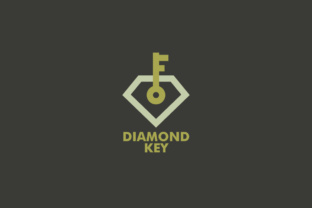
At its core, the Diamond Key Logo Template is a layered, editable design file built for Adobe Illustrator, Photoshop, and EPS-compatible applications. It contains a pre-built composition centered around diamond and key imagery, but the real value lies in how it fits into a broader branding process. You are not locked into a single look; the template is meant to be modified, extended, or used as-is depending on your goals.
In a typical branding workflow, there are three phases: discovery and planning, design and development, and deployment and maintenance. The Diamond Key Logo Template serves primarily in the design and development phase, but it also influences the other two. During planning, you can use it to visualize concepts quickly without needing advanced illustration skills. During deployment, the included file formats ensure you have the right assets for both digital and print channels. This means the template acts as both a creative tool and a production asset, reducing the number of handoffs between design and output.
Preparation: What You Need Before You Start Customizing
Before opening the AI or EPS file, it helps to clarify a few decisions. The template offers a great deal of flexibility, but a little preparation upfront saves time later. Consider the following factors that will guide your customization choices:
- Your brand personality: Is it modern, classic, bold, minimal, or artistic? The diamond and key motif can lean in different directions depending on color palette, stroke weight, and typography. Defining this beforehand helps you make consistent choices.
- Primary use case: Will this logo appear mostly on a website, on product packaging, on business cards, or across all of these? Knowing the primary medium helps you decide on color modes, resolution, and complexity. For digital-first use, you might prioritize legibility at small sizes. For print-heavy use, CMYK colors and 300 dpi are already built in, which is a strong advantage.
- Existing brand assets: If you already have a color scheme or font family, gather those references. The template can be adapted to match existing materials, saving you from rebuilding your entire visual identity.
- Skills and tools: You will need Adobe Illustrator or Photoshop, or a vector application that can open EPS files. The template also includes a link to a free font, so download that before you start editing to avoid missing font errors.
Taking fifteen minutes to prepare these details means the actual customization flows more smoothly, with fewer interruptions to search for resources or second-guess decisions.
Customizing the Template: A Practical Workflow
Once you have your preparation in place, the actual editing process can follow a logical sequence. The template is structured with separate, editable elements: shapes, colors, text layers, and typography settings. Here is how you can approach each part in a way that aligns with a typical design workflow.
Starting with Shape and Composition
The diamond and key forms are the visual core. You can adjust the proportion of each element, rotate or scale individual parts, or remove components entirely. For example, if you want a more minimal mark, you might simplify the key shape to its outline only. If you want a more intricate icon, you can duplicate layers, adjust stroke widths, or combine the diamond and key into a single overlapping form. Because the file uses vector layers, each piece remains independent, allowing non-destructive editing.
A practical tip: when modifying shapes, work at 200% zoom or higher to ensure anchor points align cleanly. This is especially important if you plan to use the logo on printed materials where small alignment issues become visible at full size.
Adjusting Colors
The template uses CMYK print colors by default, which is helpful if your primary output is printed collateral. If you are designing for digital use first, you can convert or supplement with RGB values. The color layers are clearly labeled, making it straightforward to apply your brand palette. You can use the eyedropper tool to sample colors from existing brand assets, or experiment with gradients and opacity for a more contemporary feel.
One workflow consideration: if you are producing multiple variations of the logo (for example, a full-color version, a one-color version for embroidery, and a reversed version for dark backgrounds), create separate artboards within the same file. This keeps all variations in one document and ensures consistency across versions. The template's layered structure supports this approach easily.
Typography and Text Customization
The template includes placeholder text that you replace with your brand name, tagline, or other identifying information. You can change the font, font style, size, tracking, and position. The free font link provided with the download ensures you have a compatible typeface, but you are not limited to that font. If your brand already uses a specific font, substitute it directly. Pay attention to the relationship between the icon and the text: the spacing, alignment, and relative scale should feel balanced. A common workflow step is to create a few alignment guides on a separate layer to check centering and baseline consistency.
Integration with Other Tools and Platforms
Once your logo is finalized, the template delivers assets that integrate smoothly with other parts of your workflow. The AI and EPS files are industry standards for vector editing, so you can export to SVG for web use, PDF for client presentations, or PNG for quick social media uploads. The PSD file gives you a raster option if you prefer to work in Photoshop for composite mockups or textured backgrounds.
For product packaging, you can place the logo file directly into a dieline template in Illustrator, adjusting scale and position without losing resolution. For apparel, the vector format works with screen printing or embroidery digitizing software. For business cards and stationery, you can set up a document with bleed and crop marks, then import the logo as a linked EPS or AI file. Because the template is 300 dpi and resizable, you never need to worry about pixelation when scaling up or down within reasonable limits.
The template also interacts well with brand management tools. If you use a platform like Canva, Figma, or InDesign, you can export the logo from the AI file as a transparent PNG or SVG and import it directly. If you work with a team, the layered file structure makes it easy for multiple people to edit different elements without overwriting each other's work, provided you use proper naming conventions and layer locks.
Practical Use Cases Across Media
The Diamond Key Logo Template is suitable for a wide range of applications, and understanding where each format excels helps you deploy it efficiently.
- Digital presence: For websites and social media, export a PNG with a transparent background at 1920x1920 pixels for Retina displays, and a smaller version for favicon use. The vector SVG format is ideal for responsive web design because it scales perfectly on any screen size. For email signatures, a 200-pixel-wide PNG keeps load times low while maintaining clarity.
- Printed materials: Business cards, flyers, brochures, and product packaging benefit from the CMYK-native file. When exporting for print, keep the file as a PDF with embedded fonts or outline the text to avoid font substitution issues. The 300 dpi specification means your logo will appear sharp on coated or uncoated paper stocks alike.
- Apparel and merchandise: For T-shirts, hats, or tote bags, simplify the logo to one or two colors and export as a vector EPS or AI file. The key and diamond shapes are geometric enough to work well in single-color screen prints, and the adjustable stroke weights let you create a bolder version for fabric applications where fine lines may not reproduce cleanly.
- Stationery and branding collateral: Letterhead, envelopes, folders, and presentation templates all benefit from a consistent logo placement. Use the AI file to set up master pages in your design application, ensuring the logo appears at the same size and position across all pieces.
Long-Term Considerations for Consistency
Using a template like Diamond Key Logo Template is not just about the initial design; it is about maintaining a cohesive identity over time. As your brand evolves, you may need to update colors, refine typography, or adapt the mark for new channels. Keeping the original AI and EPS files organized in a dedicated brand assets folder, along with a notes file documenting your color codes, font choices, and usage guidelines, makes future updates straightforward.
A useful practice is to create a small brand style sheet that includes the logo variations, minimum size guidelines, clear space requirements, and color specifications in both CMYK and HEX. This document becomes a reference for anyone who works with your brand, whether that is a freelance designer, a printer, or a marketing team member. Because the template is easy to customize, you can also generate alternative lockups, such as a stacked version for square spaces and a horizontal version for wide layouts, and include those in your style sheet.
Final Observations on Workflow Fit
The Diamond Key Logo Template is not a magic solution that replaces thoughtful brand strategy, but it is a practical asset that removes friction from the design and production process. For artists, musicians, record labels, creative studios, and small businesses, it offers a starting point that is professional enough for client-facing work while remaining flexible enough for personal experimentation. The fact that it comes in multiple file formats, uses CMYK print colors, and includes a free font means you spend less time on technical setup and more time on the actual creative decisions that make your brand distinct.
Whether you are preparing a logo for a new podcast, a line of handmade products, a consulting practice, or a music release, the template provides a structure you can adapt, extend, or simplify. By approaching it with a clear plan for your brand's visual direction, a basic understanding of your primary output channels, and a willingness to experiment within the layered file, you can turn this template into a long-term asset that grows with your work.